Projection mapping for DJs and VJs
Put your set on the walls.
BassPlane maps ordinary projectors onto the room you are playing, up to five from one laptop. Pin planes to the walls, a column or the front of the booth, and fill each with the DJ's name, visuals, video or a timeline that follows the bass and the beat.
One payment, no subscription · 14-day refund · Windows 10 or 11
First night out
SNUFF Halloween Rave, Gold Club
BassPlane's first night in a real club: hardcore and drum & bass in a brick vault, with the picture on the back wall behind the decks. Every set got its own look, the DJs' names in big type over moving lines and artwork, changed on the fly as the line-up went on.
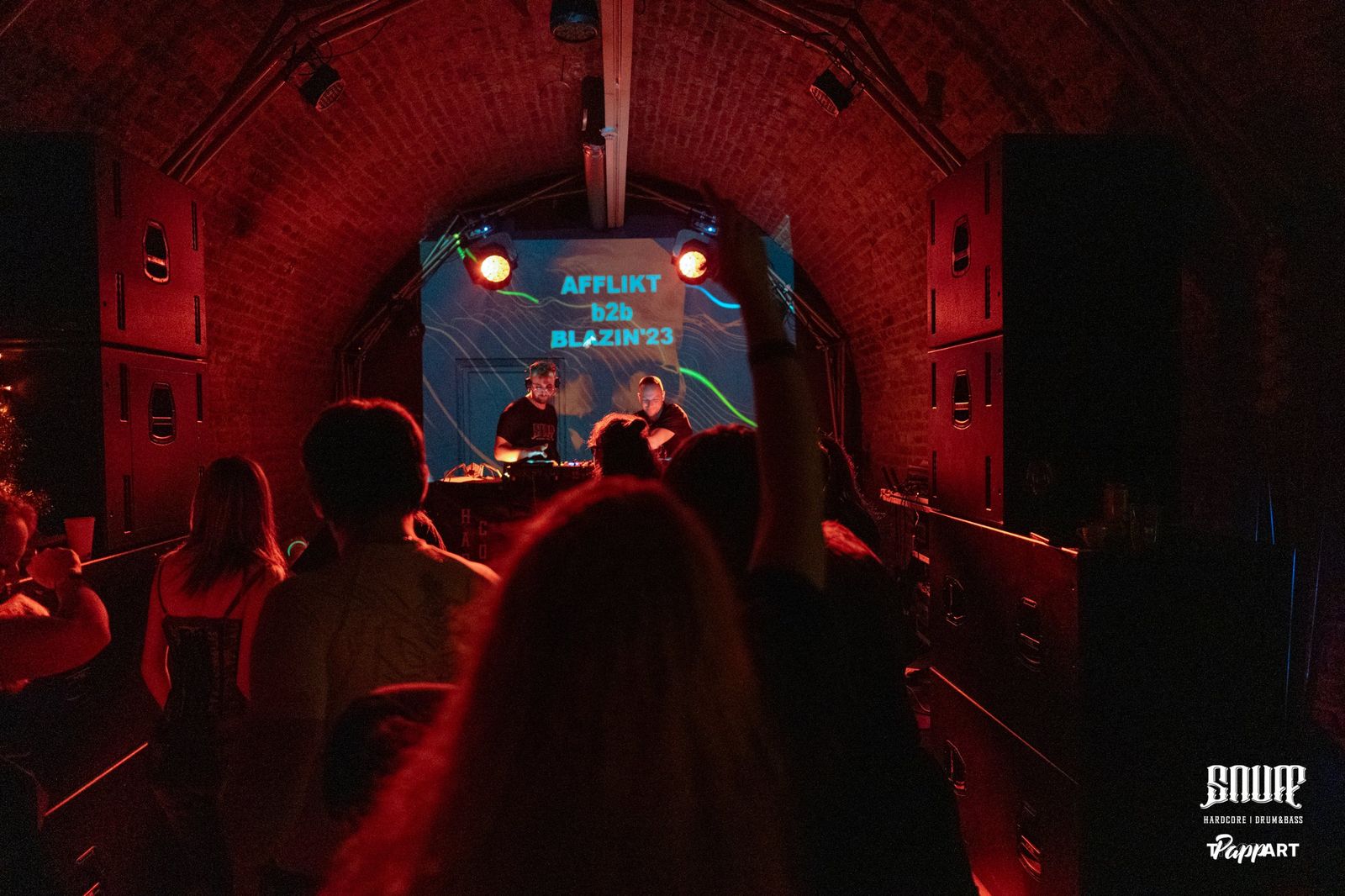
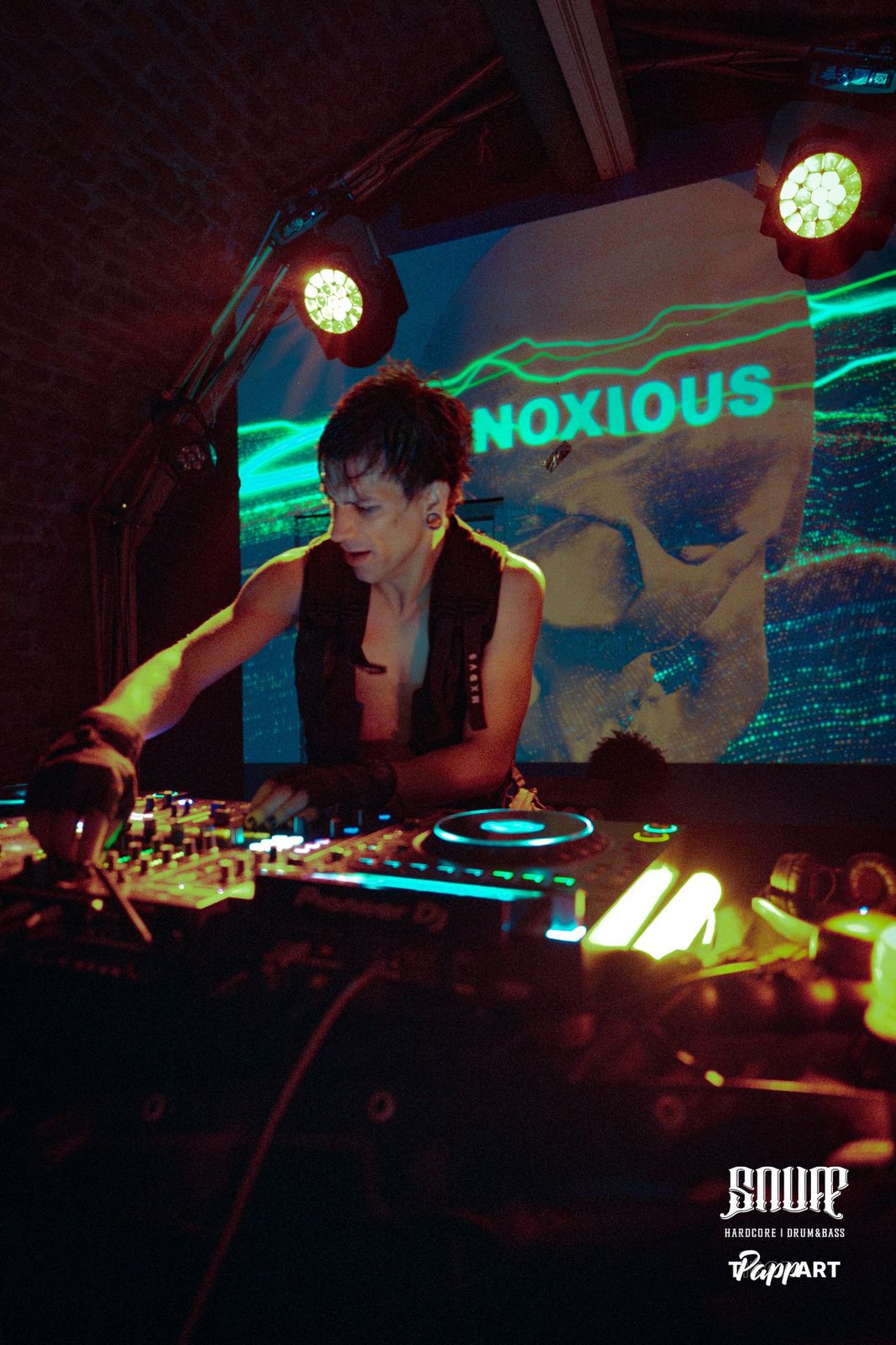
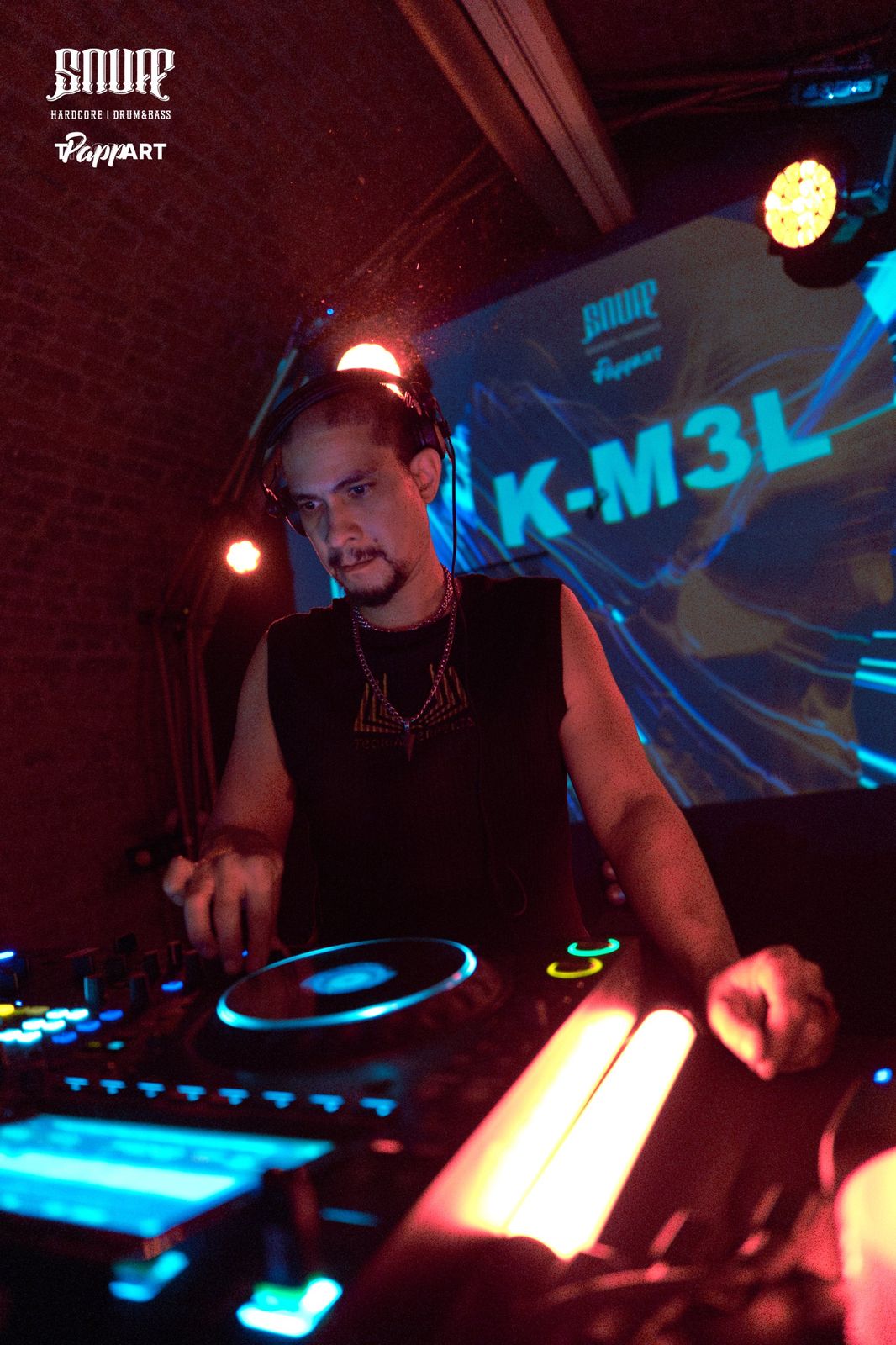
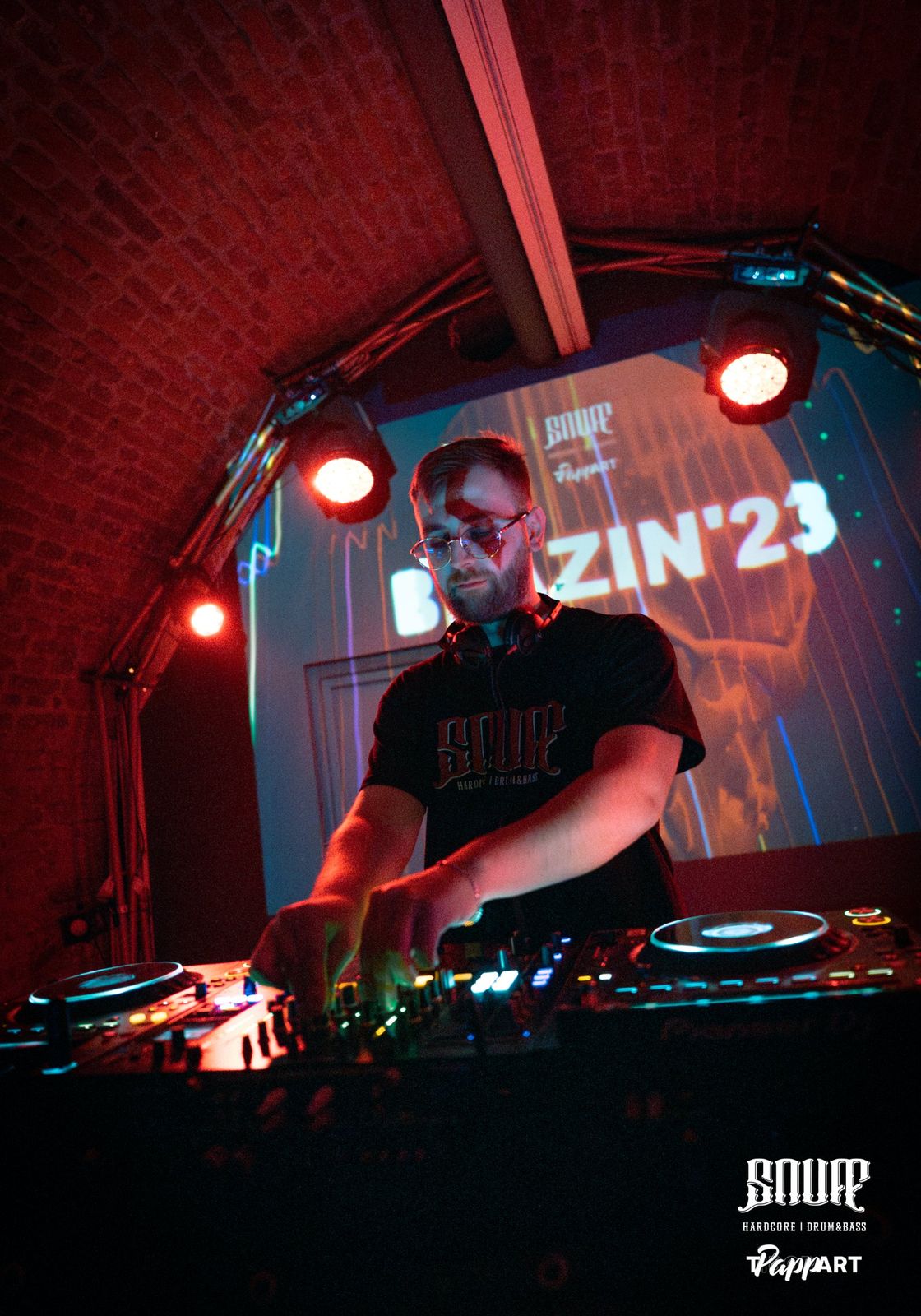
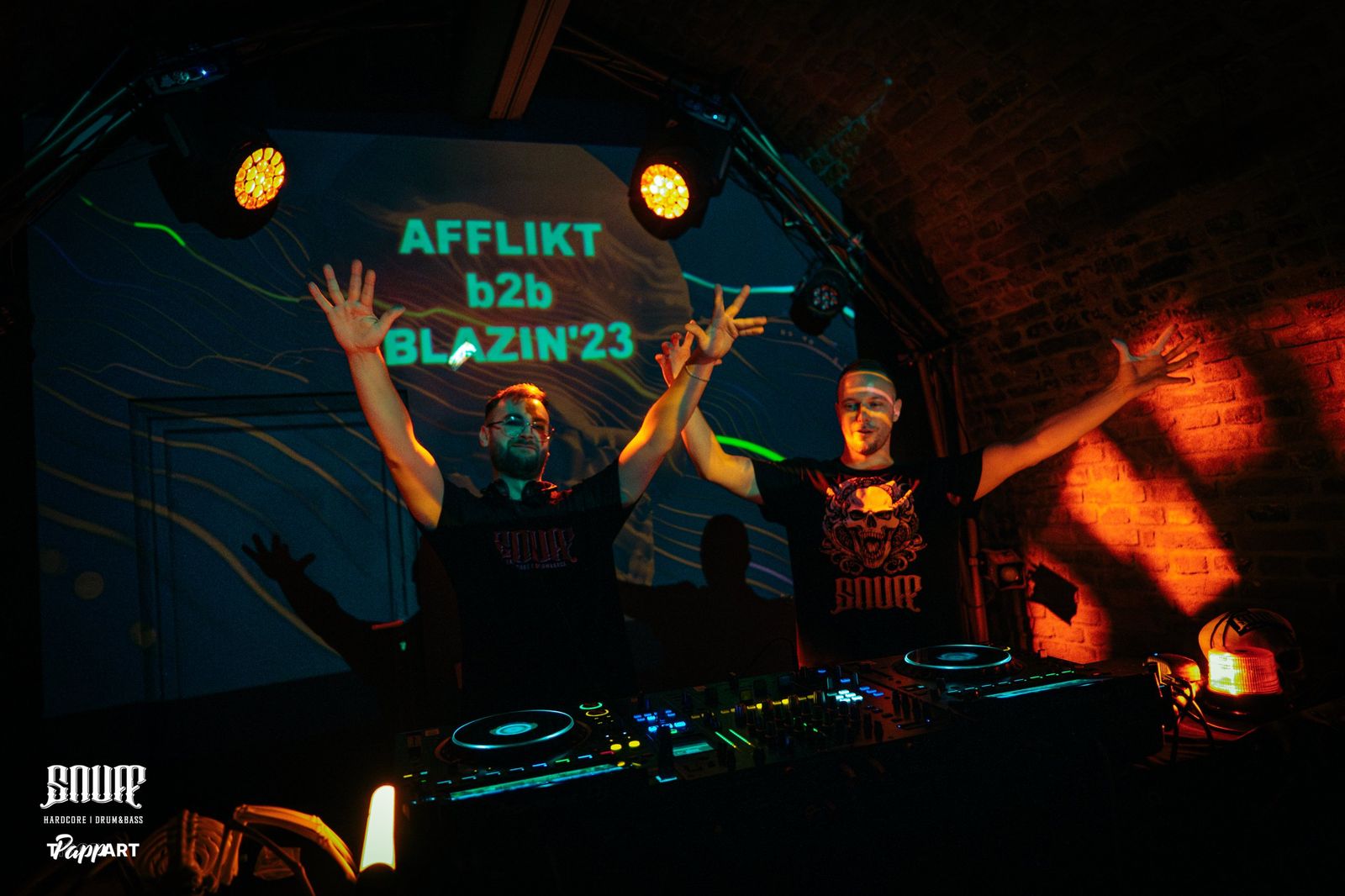
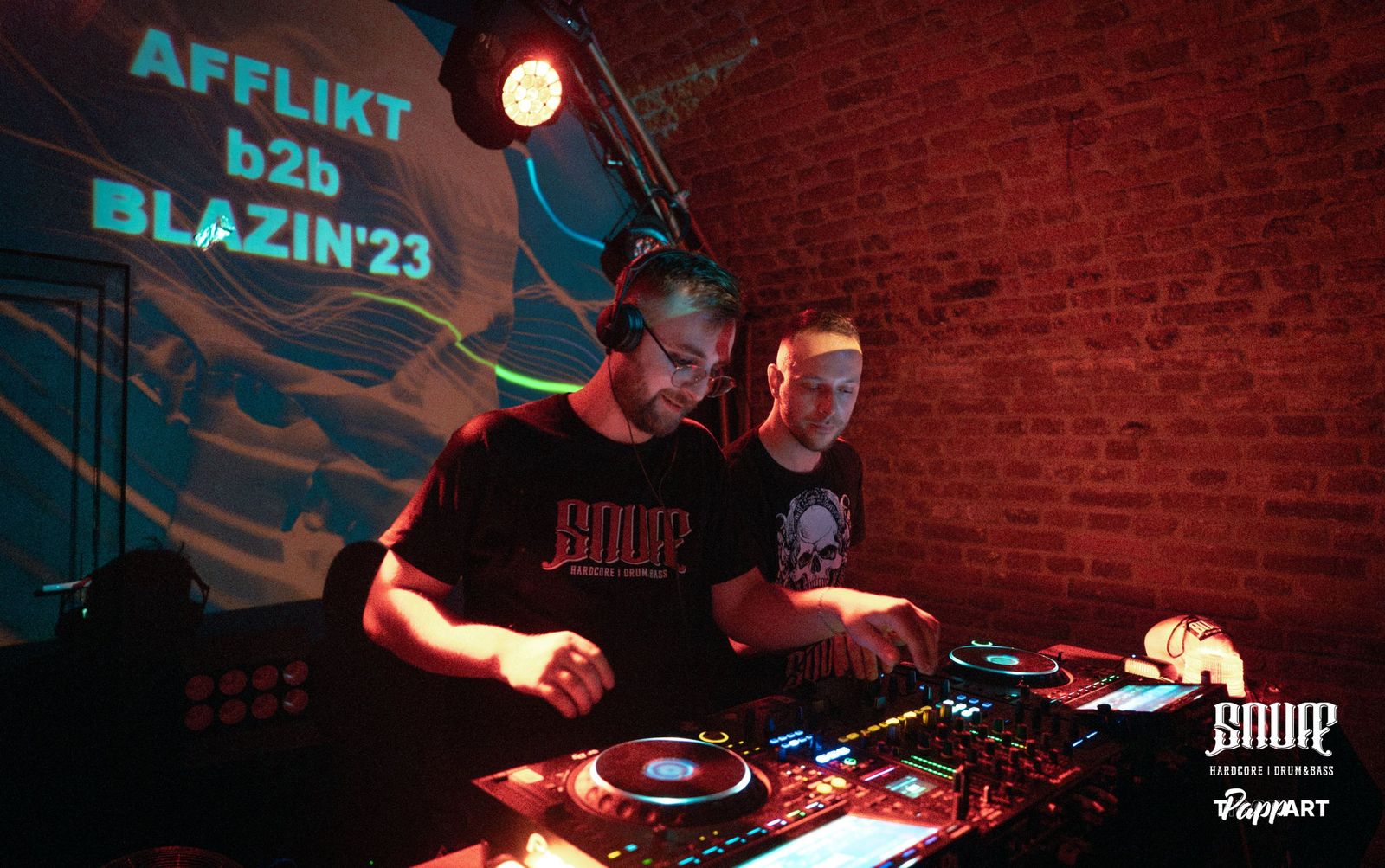
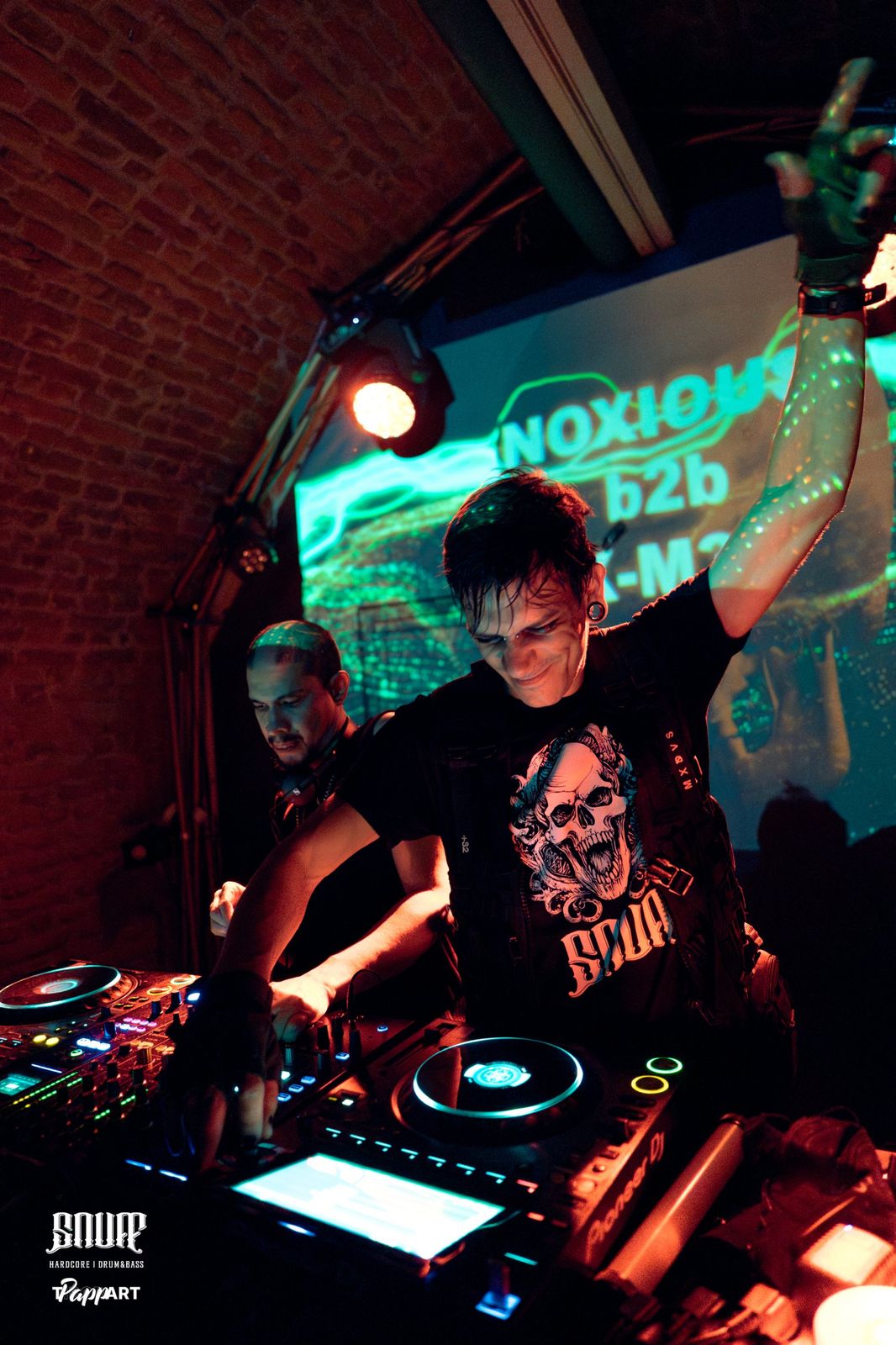
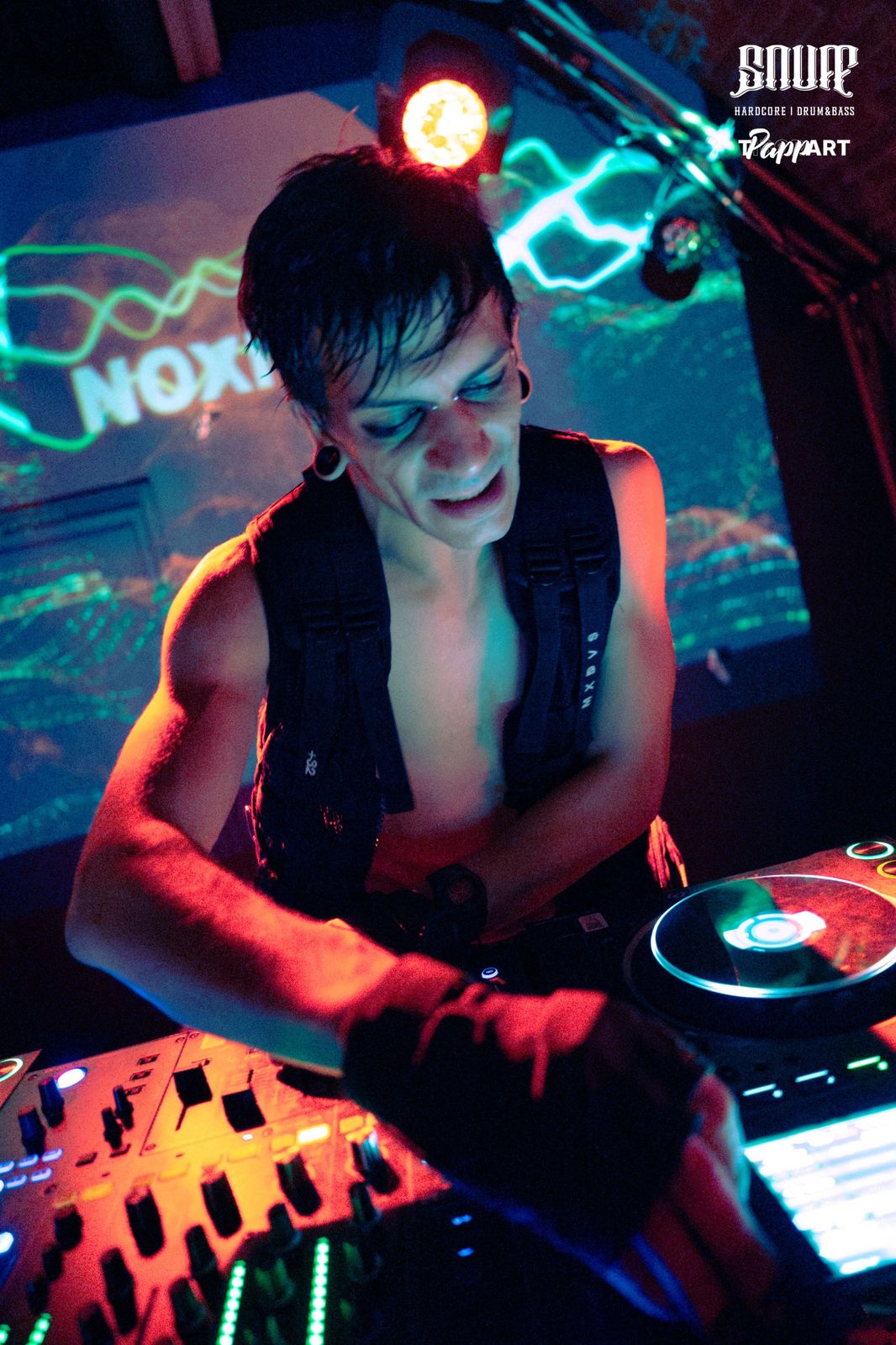
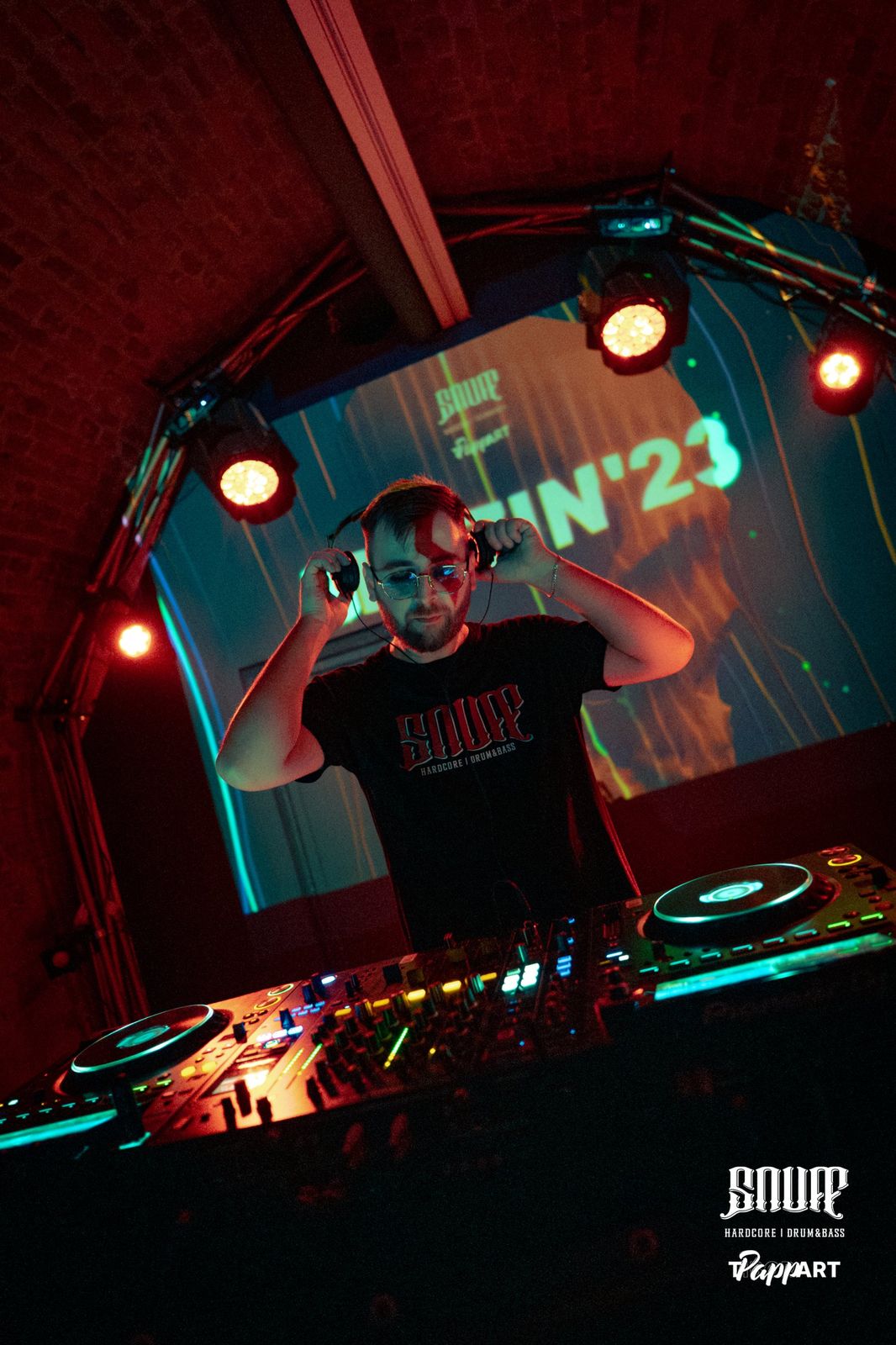
Photos: TPappART
Try it
Pin a picture to a wall
Four planes are pinned to this drawn room: three walls and the front of the booth. Drag any corner, or focus one and nudge it with the arrow keys, 1 px at a time. The keys are the ones the app uses.
Before doors
From cable to first drop in six steps
Connect the projector
Set Windows to Extend (Win + P). BassPlane opens its output on the projector, fullscreen, and keeps the controls on your screen.
Add a plane
Turn on the test grid and drag the plane's corners onto the corners of the surface, in the preview or on the wall itself.
Add the next one
With Snap on, a corner dragged near another plane's corner clicks onto it, so the two share an edge exactly. Up to twelve planes, spread over up to five projectors.
Choose each picture
A design, the DJ's name in your own font, a video, a spot built from layers, or the timeline. Lay one on top of another, such as a name over moving lines.
Let it hear the music
Run a line from the mixer into line-in, or let the microphone hear the room. The beat is followed from 120 to 240 BPM, fast enough for drum & bass, hardcore and Schranz, and T taps it in by hand.
Run the show
Show puts every projector's picture in front of you at once, with blackout, freeze and the beat under it. Everything is saved as you go, and Ctrl + Z takes back the last thing you did.
The pieces
What goes on a plane
- Text
- Your own words in any font: one that comes with Windows, one installed on the computer, or a font file. Lines that grow with the bass, letters that jump or flicker, a scroll, or words that type themselves out.
- Design
- A line field, or an animation: Sine stack, Audio wave, Spectrum, Rain, Matrix text, Lissajous, Plasma, Bass rings, Colour wash. Copy any of them and give it your own settings and colours.
- Video or image
- Your own files, several at a time. H.264 MP4 is the safe choice. Files are linked, not copied, and a moved file can be pointed to again.
- Spot
- A loop built from layers: designs, videos, logos, 3D objects and alpha maps, stacked and mixed. Use one spot on as many planes as you like.
- Timeline
- Spots and videos one after another, with transitions: crossfade, dip to black, wipes, pushes, iris, dissolve, zoom through, blinds. Graphics sit on top for as long as you say.
- Alpha map
- A moving black-and-white pattern that cuts, tints, lights or outlines a picture. Nineteen ship with the app, from Smoke to Laser grid, and you can make your own.
- Shared picture
- One picture across several planes: split evenly, as on the wall, or by hand. A video still lines up across a doorway or a column.
Five plane shapes
- FlatA wall, a screen, a box face
- TriangleThe point and the two ends of the base
- CircleA flat disc, tilted with its corners
- CylinderA column or a curved wall
- SphereA ball or a dome
Show mode
Made to be run from the booth
Every command has a key and a place in the menus. In Show there are no delete buttons, so nothing leaves the wall by a slip mid-set.
- BBlackout
- SpaceFreeze the picture
- TTap the tempo
- PEvery projector on or off
- EShow or hide the corner handles
- ArrowsMove a corner by 1 px, with Shift by 10
- Ctrl ZUndo, one gesture at a time
- F1The guide, with pictures
Before you buy
What you need
- A Windows 10 or 11 computer, 64-bit, with an up-to-date graphics driver. BassPlane draws with the graphics card.
- Any projector Windows can use as a second screen. For more than one, a video output for each (HDMI, DisplayPort, USB-C or a dock), up to five.
- For music reaction: a line from your mixer into line-in, a microphone, or an audio file.
- No administrator rights, and nothing else to install first.
Good to know
- Videos play without sound.
- Edge blending is for projectors standing side by side: it softens their left and right edges, not top and bottom.
- Columns and balls are lined up by eye, with a Roundness setting.
- Designs can flash with the beat. Lower Beat flashes for audiences sensitive to flashing light.
Video files
| Format | Plays |
|---|---|
| MP4 with H.264, at 1920 × 1080 or below | Yes |
| WebM with VP8 or VP9 | Yes |
| MP4 or WebM with AV1 | Where the graphics card decodes it |
| MP4 with H.265 / HEVC | Only on some computers |
| MOV (ProRes, DNxHD, HAP), AVI, MKV | No. Convert to H.264 MP4 |
A video that cannot be played says so on its plane and in the library.
Price
One payment, no subscription
€39once
Buy BassPlaneSales open soon. Write to t.papp@pixelwarpstudios.com and we will tell you the day they do.
Sold through Polar, which takes the payment, adds the VAT for your country and sends the invoice. Your receipt, licence key and download links arrive by email.
What you get
- Both installers: online (about 2 MB) and offline (about 110 MB)
- The built-in guide, also as a PDF
- A licence key for 2 of your own computers
- Use it at your own gigs, paid ones included
Not what you expected? Write to t.papp@pixelwarpstudios.com within 14 days for a refund.
Questions
Before you ask
Windows warns me when I run the installer. Is that normal?
Yes, for now. The installers are not signed yet, so Windows SmartScreen warns the first time. Choose More info, then Run anyway. Download BassPlane only from the links in your purchase email.
Can I install it on a show computer that is kept offline?
Yes. The offline installer, about 110 MB, has everything inside it. The online installer is about 2 MB and downloads the rest, about 160 MB, while it installs.
Do I need a special projector?
No. Any projector that Windows can use as a second screen works. Set Windows to Extend and BassPlane opens its output there.
My projector looks washed out. Can it help?
Yes. Each projector has its own Contrast, Deeper blacks and Stronger colour, and Set for a washed-out projector is a one-click starting point. It costs no frames, and the preview shows it too.
Can I use more than one projector?
Yes, up to five from one computer, each with its own planes on its own screen output. Point one at the back wall and one at the booth, or stand two side by side and blend their overlap into one wide picture. Each projector needs its own video output on the computer.
Every projector draws its own picture, so each one you add asks more of the graphics card.
Does it work with my DJ software or controller?
Yes, because there is nothing to link. BassPlane listens to the sound itself, so it follows whatever you play from, on any software or hardware. Feed it a line from the mixer, or let the microphone hear the room.
Will it keep up with fast music?
It follows the beat from 120 to 240 BPM by default, which covers techno, trance, drum & bass, hardstyle, hardcore and Schranz. A Normal setting covers 70 to 160 for slower music, and T taps the tempo in by hand, up to 300 BPM.
Can I trigger it from a MIDI controller?
No. The show controls are on the computer's keyboard, and the timeline plays through on its own.
Does it run on a Mac?
No. BassPlane is a Windows app.
Will an update lose my show?
No. Installing a newer version over an older one keeps your mapping, designs and settings. You can also save a show to a project file.
The picture is not smooth. What can I do?
The Projector switch shows the frames per second the projector is getting, or the slowest one's when there are several. Lower Quality in the projector's settings, keep the laptop on mains power, and on a laptop with two graphics cards set BassPlane to High performance in Windows. Line fields cost the most; animations and video cost little.
Where do I get help?
Help (F1) inside the app explains every feature with pictures and saves the same guide as a PDF. For anything else, write to t.papp@pixelwarpstudios.com.